How To Install KubeSphere on AlmaLinux 10
Container orchestration has become essential for modern application deployment and management. KubeSphere emerges as a powerful, enterprise-ready Kubernetes platform that simplifies container management through an intuitive web interface. Combined with AlmaLinux 10’s robust foundation and enhanced security features, this pairing creates an optimal environment for deploying scalable containerized applications. This comprehensive guide walks through every step needed to install KubeSphere on AlmaLinux 10, from initial system preparation to advanced configuration options.
Understanding KubeSphere and AlmaLinux 10
What is KubeSphere
KubeSphere represents a distributed operating system for cloud-native application management, built on top of Kubernetes. This container platform delivers comprehensive capabilities including multi-tenancy, DevOps pipelines, service mesh, and observability features through a unified web console. The platform supports various deployment scenarios, from single-node installations for development to large-scale production clusters with high availability configurations.
Key advantages include streamlined application lifecycle management, integrated monitoring and logging solutions, and robust security policies. KubeSphere eliminates much of Kubernetes’ complexity while preserving its powerful orchestration capabilities. Development teams can focus on application development rather than infrastructure management, accelerating time-to-market for containerized applications.
AlmaLinux 10 Features for Container Workloads
AlmaLinux 10 introduces significant enhancements that make it particularly suitable for container workloads. The operating system features kernel version 6.12.0, providing improved container runtime support and enhanced security through updated SELinux policies. These security improvements include refined container isolation mechanisms and better resource management capabilities.
The distribution includes modernized package management with DNF 4.21 and enhanced networking stack optimizations. Advanced security features like Sequoia PGP encryption tools and improved sudo system role management streamline administrative tasks. These features, combined with enterprise-grade stability and long-term support, create an ideal foundation for production Kubernetes deployments.
System Requirements and Prerequisites
Hardware Requirements
Successful KubeSphere deployment requires careful attention to hardware specifications. Minimum requirements include 2 CPU cores, 4 GB RAM, and 40 GB available storage space. However, production environments should provision at least 4 CPU cores, 8 GB RAM, and 100 GB storage for optimal performance.
Network connectivity plays a crucial role in cluster communication. Ensure reliable internet access for downloading container images and accessing external repositories. Storage performance significantly impacts application responsiveness, particularly for database workloads and persistent volume operations. Consider SSD storage for improved I/O performance in production deployments.
Software Prerequisites
Before beginning the installation process, verify that AlmaLinux 10 is properly installed and updated to the latest package versions. The system requires a container runtime, either Docker or containerd, along with essential development tools and networking utilities. Python 3.8 or higher and Node.js are necessary for various KubeSphere components and extensions.
Network configuration must allow communication on specific ports required by Kubernetes and KubeSphere services. DNS resolution should function correctly, as Kubernetes relies heavily on service discovery mechanisms. Time synchronization across all nodes prevents certificate validation issues and ensures proper cluster operation.
Pre-installation Checklist
System validation prevents common installation failures. Verify sufficient disk space, confirm network connectivity to package repositories, and ensure proper user permissions for administrative tasks. Check firewall configurations and SELinux policies to avoid connectivity issues during installation.
Document current system configuration for rollback purposes if needed. Create system backups of critical data and configuration files. Prepare a maintenance window for production systems, as the installation process may require system reboots and service interruptions.
Preparing AlmaLinux 10 Environment
System Updates and Package Installation
Begin by updating all system packages to ensure compatibility and security. Execute the following commands to refresh package repositories and install updates:
sudo dnf update -y
sudo dnf install -y curl wget git vim
sudo dnf groupinstall -y "Development Tools"
Install essential networking and container utilities required for Kubernetes operations:
sudo dnf install -y iproute-tc bridge-utils
sudo dnf install -y container-selinux
sudo dnf install -y yum-utils device-mapper-persistent-data lvm2
Configure system time synchronization using chrony to prevent certificate validation issues:
sudo dnf install -y chrony
sudo systemctl enable chronyd
sudo systemctl start chronyd
Security Configuration
AlmaLinux 10’s enhanced security features require careful configuration for container workloads. Configure SELinux for Kubernetes compatibility while maintaining security integrity:
sudo setenforce 0
sudo sed -i 's/^SELINUX=enforcing$/SELINUX=permissive/' /etc/sysconfig/selinux
Configure firewall rules for master node operations:
sudo firewall-cmd --permanent --add-port=6443/tcp
sudo firewall-cmd --permanent --add-port=2379-2380/tcp
sudo firewall-cmd --permanent --add-port=10250/tcp
sudo firewall-cmd --permanent --add-port=10251/tcp
sudo firewall-cmd --permanent --add-port=10252/tcp
sudo firewall-cmd --permanent --add-port=10259/tcp
sudo firewall-cmd --permanent --add-port=10257/tcp
sudo firewall-cmd --permanent --add-port=179/tcp
sudo firewall-cmd --permanent --add-port=4789/udp
sudo firewall-cmd --reload
For worker nodes, apply these firewall configurations:
sudo firewall-cmd --permanent --add-port=10250/tcp
sudo firewall-cmd --permanent --add-port=30000-32767/tcp
sudo firewall-cmd --permanent --add-port=179/tcp
sudo firewall-cmd --permanent --add-port=4789/udp
sudo firewall-cmd --reload
Network and Storage Setup
Disable swap to ensure proper Kubernetes operation, as swap can interfere with pod scheduling and resource management:
sudo swapoff -a
sudo sed -i '/ swap / s/^\(.*\)$/#\1/g' /etc/fstab
Configure kernel modules and system parameters for container networking:
sudo modprobe overlay
sudo modprobe br_netfilter

cat <<EOF | sudo tee /etc/modules-load.d/k8s.conf
overlay
br_netfilter
EOF

cat <<EOF | sudo tee /etc/sysctl.d/k8s.conf
net.bridge.bridge-nf-call-iptables = 1
net.bridge.bridge-nf-call-ip6tables = 1
net.ipv4.ip_forward = 1
EOF

sudo sysctl --system
Installing Kubernetes Cluster
Container Runtime Installation
Install containerd as the preferred container runtime for AlmaLinux 10:
sudo dnf config-manager --add-repo https://download.docker.com/linux/centos/docker-ce.repo
sudo dnf install -y containerd.io
Configure containerd with proper settings for Kubernetes integration:
sudo mkdir -p /etc/containerd
containerd config default | sudo tee /etc/containerd/config.toml
sudo sed -i 's/SystemdCgroup = false/SystemdCgroup = true/' /etc/containerd/config.toml
Enable and start the containerd service:
sudo systemctl enable containerd
sudo systemctl start containerd
sudo systemctl status containerd
Kubernetes Components Installation
Add the Kubernetes repository to AlmaLinux package management system:
cat <<EOF | sudo tee /etc/yum.repos.d/kubernetes.repo
[kubernetes]
name=Kubernetes
baseurl=https://pkgs.k8s.io/core:/stable:/v1.28/rpm/
enabled=1
gpgcheck=1
gpgkey=https://pkgs.k8s.io/core:/stable:/v1.28/rpm/repodata/repomd.xml.key
exclude=kubelet kubeadm kubectl cri-tools kubernetes-cni
EOF
Install Kubernetes components with version pinning to ensure compatibility:
sudo dnf install -y kubelet kubeadm kubectl --disableexcludes=kubernetes
sudo systemctl enable kubelet
Cluster Initialization
Initialize the Kubernetes master node with appropriate configuration:
sudo kubeadm init --pod-network-cidr=10.244.0.0/16 --cri-socket unix:///var/run/containerd/containerd.sockConfigure kubectl access for the current user:
mkdir -p $HOME/.kube
sudo cp -i /etc/kubernetes/admin.conf $HOME/.kube/config
sudo chown $(id -u):$(id -g) $HOME/.kube/config
Install a Container Network Interface (CNI) plugin for pod networking:
kubectl apply -f https://github.com/flannel-io/flannel/releases/latest/download/kube-flannel.ymlVerify cluster status and node readiness:
kubectl get nodes
kubectl get pods -A
Installing KubeSphere on Kubernetes
Download KubeSphere Installation Files
KubeSphere installation utilizes the KubeKey tool for streamlined deployment. Download the latest version of KubeKey:
export KKZONE=cn  # Optional: for users in China
curl -sfL https://get-kk.kubesphere.io | sh -
sudo chmod +x kk
Create a configuration file for KubeSphere installation:
./kk create config --with-kubesphere v3.4.1 --with-kubernetes v1.28.8This command generates a config-sample.yaml file containing cluster and KubeSphere configuration parameters.
Deploying KubeSphere Core Components
Edit the configuration file to customize installation settings:
nano config-sample.yamlKey configuration areas include:
- Node specifications and roles
- Network plugin selection
- Storage class configuration
- KubeSphere component enablement
Install KubeSphere using the configuration file:
./kk create cluster -f config-sample.yamlAlternative installation method using Helm charts:
curl https://raw.githubusercontent.com/helm/helm/main/scripts/get-helm-3 | bash
helm upgrade --install -n kubesphere-system --create-namespace ks-core \
  https://charts.kubesphere.io/main/ks-core-1.1.4.tgz --debug --wait
Installation Monitoring and Verification
Monitor the installation progress by checking pod status across all namespaces:
kubectl get pods -A -wVerify KubeSphere components are running correctly:
kubectl get all -n kubesphere-system
kubectl get all -n kubesphere-controls-system
Check service endpoints and ingress configurations:
kubectl get svc -n kubesphere-system
kubectl get ingress -A
Post-Installation Configuration
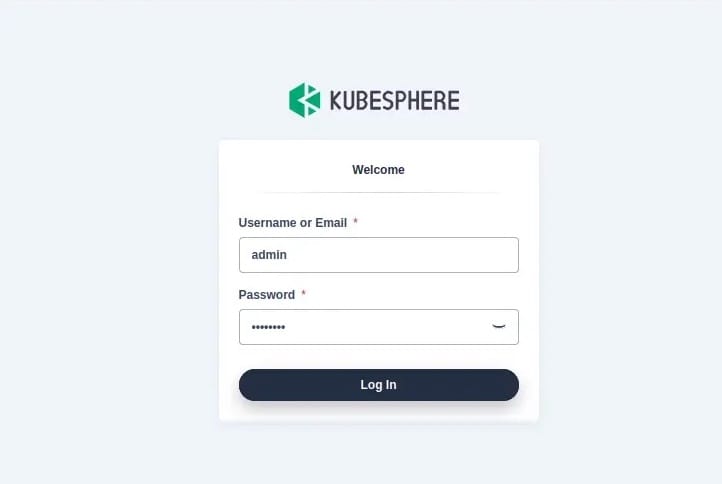
Access the KubeSphere web console using the cluster IP and port 30880:
kubectl get svc -n kubesphere-system | grep ks-consoleDefault login credentials are:
- Username:
admin - Password:
P@88w0rd
Change the default password immediately upon first login for security purposes.
Configuring KubeSphere Features
Web Console Access and Initial Setup
The KubeSphere web console provides comprehensive cluster management capabilities through an intuitive interface. Access the console using your browser and navigate to the cluster management section. The initial setup wizard guides through essential configuration steps including workspace creation, user management, and resource allocation policies.
Configure workspace settings to establish tenant isolation and resource quotas. Create additional user accounts with appropriate role-based access control (RBAC) permissions. Set up project namespaces for different applications or development teams, ensuring proper resource boundaries and security policies.
Storage Configuration
Configure storage classes for persistent volume provisioning:
kubectl apply -f - <<EOF
apiVersion: storage.k8s.io/v1
kind: StorageClass
metadata:
  name: local-storage
provisioner: kubernetes.io/no-provisioner
volumeBindingMode: WaitForFirstConsumer
EOF
Create persistent volumes for application data storage:
kubectl apply -f - <<EOF
apiVersion: v1
kind: PersistentVolume
metadata:
  name: local-pv-1
spec:
  capacity:
    storage: 10Gi
  accessModes:
  - ReadWriteOnce
  persistentVolumeReclaimPolicy: Retain
  storageClassName: local-storage
  local:
    path: /mnt/disks/ssd1
  nodeAffinity:
    required:
      nodeSelectorTerms:
      - matchExpressions:
        - key: kubernetes.io/hostname
          operator: In
          values:
          - node01
EOF
Monitoring and Logging Setup
Enable KubeSphere’s built-in monitoring stack by navigating to the cluster settings in the web console. Configure Prometheus metrics collection and retention policies based on your monitoring requirements. Set up custom dashboards for application-specific metrics and system resource utilization.
Configure log aggregation for centralized log management. Enable audit logging to track user activities and system changes. Create alerting rules for critical system events and application failures. Integration with external monitoring systems like Grafana or external log management platforms enhances observability capabilities.
Security Configuration and Best Practices
Firewall and Network Security
Implement network policies to control traffic flow between pods and namespaces:
kubectl apply -f - <<EOF
apiVersion: networking.k8s.io/v1
kind: NetworkPolicy
metadata:
  name: default-deny-all
  namespace: default
spec:
  podSelector: {}
  policyTypes:
  - Ingress
  - Egress
EOF
Configure ingress controllers with TLS termination for secure external access:
kubectl apply -f - <<EOF
apiVersion: networking.k8s.io/v1
kind: Ingress
metadata:
  name: kubesphere-console
  namespace: kubesphere-system
  annotations:
    kubernetes.io/ingress.class: nginx
    cert-manager.io/cluster-issuer: letsencrypt-prod
spec:
  tls:
  - hosts:
    - kubesphere.yourdomain.com
    secretName: kubesphere-tls
  rules:
  - host: kubesphere.yourdomain.com
    http:
      paths:
      - path: /
        pathType: Prefix
        backend:
          service:
            name: ks-console
            port:
              number: 80
EOF
Authentication and Authorization
Configure RBAC policies to implement principle of least privilege:
kubectl apply -f - <<EOF
apiVersion: rbac.authorization.k8s.io/v1
kind: Role
metadata:
  namespace: default
  name: pod-reader
rules:
- apiGroups: [""]
  resources: ["pods"]
  verbs: ["get", "watch", "list"]
---
apiVersion: rbac.authorization.k8s.io/v1
kind: RoleBinding
metadata:
  name: read-pods
  namespace: default
subjects:
- kind: User
  name: jane
  apiGroup: rbac.authorization.k8s.io
roleRef:
  kind: Role
  name: pod-reader
  apiGroup: rbac.authorization.k8s.io
EOF
Enable audit logging for compliance and security monitoring:
sudo nano /etc/kubernetes/manifests/kube-apiserver.yamlAdd audit logging parameters to the kube-apiserver configuration.
Security Hardening
Implement Pod Security Standards to enforce security policies:
kubectl label namespace default pod-security.kubernetes.io/enforce=restricted
kubectl label namespace default pod-security.kubernetes.io/audit=restricted
kubectl label namespace default pod-security.kubernetes.io/warn=restricted
Configure resource quotas to prevent resource exhaustion attacks:
kubectl apply -f - <<EOF
apiVersion: v1
kind: ResourceQuota
metadata:
  name: compute-quota
  namespace: default
spec:
  hard:
    requests.cpu: "4"
    requests.memory: 8Gi
    limits.cpu: "8"
    limits.memory: 16Gi
    persistentvolumeclaims: "10"
EOF
Troubleshooting Common Issues
Installation Problems
Network connectivity issues often manifest as pod creation failures or image pull errors. Verify DNS resolution and internet connectivity on all cluster nodes. Check firewall configurations to ensure required ports remain accessible. Container runtime issues typically result from incorrect containerd or Docker configuration.
Resolve SELinux-related problems by reviewing audit logs and adjusting policies accordingly. Permission errors usually indicate incorrect RBAC configuration or insufficient user privileges. Storage provisioning failures often relate to incorrect storage class configuration or insufficient disk space.
Performance Optimization
Monitor resource utilization using KubeSphere’s built-in monitoring tools. Optimize node resource allocation by adjusting CPU and memory limits for system pods. Implement horizontal pod autoscaling for applications with variable workloads:
kubectl apply -f - <<EOF
apiVersion: autoscaling/v2
kind: HorizontalPodAutoscaler
metadata:
  name: webapp-hpa
spec:
  scaleTargetRef:
    apiVersion: apps/v1
    kind: Deployment
    name: webapp
  minReplicas: 2
  maxReplicas: 10
  metrics:
  - type: Resource
    resource:
      name: cpu
      target:
        type: Utilization
        averageUtilization: 70
EOF
Maintenance and Updates
Establish regular maintenance procedures including log rotation, certificate renewal, and security updates. Create backup procedures for etcd data and configuration files:
sudo ETCDCTL_API=3 etcdctl snapshot save backup.db \
  --endpoints=https://127.0.0.1:2379 \
  --cacert=/etc/kubernetes/pki/etcd/ca.crt \
  --cert=/etc/kubernetes/pki/etcd/healthcheck-client.crt \
  --key=/etc/kubernetes/pki/etcd/healthcheck-client.key
Monitor cluster health using automated health checks and alerting systems. Plan upgrade procedures for both Kubernetes and KubeSphere components, following official upgrade documentation.
Advanced Configuration Options
Multi-Node Cluster Setup
Expand single-node installations to multi-node clusters for production scalability. Add worker nodes using the join command generated during initial cluster setup:
sudo kubeadm join <master-ip>:6443 --token <token> \
  --discovery-token-ca-cert-hash <hash> \
  --cri-socket unix:///var/run/containerd/containerd.sock
Configure load balancing for high availability deployments using HAProxy or similar solutions. Implement cluster autoscaling to automatically adjust node capacity based on workload demands.
Plugin and Extension Management
Enable additional KubeSphere features through the cluster configuration interface. Install DevOps components for CI/CD pipeline management. Configure service mesh integration using Istio for advanced traffic management and security policies.
Explore the KubeSphere marketplace for third-party extensions and integrations. Implement logging and monitoring extensions for enhanced observability. Configure notification systems for alert management and incident response.
Congratulations! You have successfully installed KubeSphere. Thanks for using this tutorial for installing KubeSphere on your AlmaLinux OS 10 system. For additional help or useful information, we recommend you check the official KubeSphere website.