
In this tutorial, we will show you how to install Postman on CentOS 8. For those of you who didn’t know, Postman, a popular API development and testing tool, has become an essential part of the modern software development landscape. With its intuitive interface and powerful features, Postman simplifies the process of creating, testing, and documenting APIs.
This article assumes you have at least basic knowledge of Linux, know how to use the shell, and most importantly, you host your site on your own VPS. The installation is quite simple and assumes you are running in the root account, if not you may need to add ‘sudo‘ to the commands to get root privileges. I will show you the step-by-step installation of the Postman on a CentOS 8.
Prerequisites
- A server running one of the following operating systems: CentOS.
- SSH access to the server (or just open Terminal if you’re on a desktop).
- An active internet connection. You’ll need an internet connection to download the necessary packages and dependencies.
- To install Postman on CentOS 8, you will need a 64-bit system with at least 4 GB of RAM and 2 GB of available disk space. Ensure that your system meets these minimum requirements before proceeding with the installation.
- root access or a user with sudo privileges.
Install Postman on CentOS 8
Step 1. Keep your system up-to-date by running the following command in your terminal:
sudo dnf update
sudo dnf install epel-release
This command will update all installed packages on your system to their latest versions.
Step 2. Enable Snaps.
Run the following command below to install and enable Snap on your system:
sudo dnf install snapd
sudo systemctl enable --now snapd.socket
sudo ln -s /var/lib/snapd/snap /snap
Step 3. Installing Postman on CentOS 8.
Postman can easily be installed on CentOS 8 using Snap. Installing Postman through snap is easy because it already contains the dependency files that are required for Postman or any other application. Now run the following command below to install it:
sudo snap install postman
After installing, you need to restart your computer:
reboot
Step 4. Accessing Postman on CentOS.
Once successfully installed, to access the Postman application using the GUI of the system, simply go to the Applications of your system. Now, type Postman in the search bar. You will see Postman in the available options. Click on it.
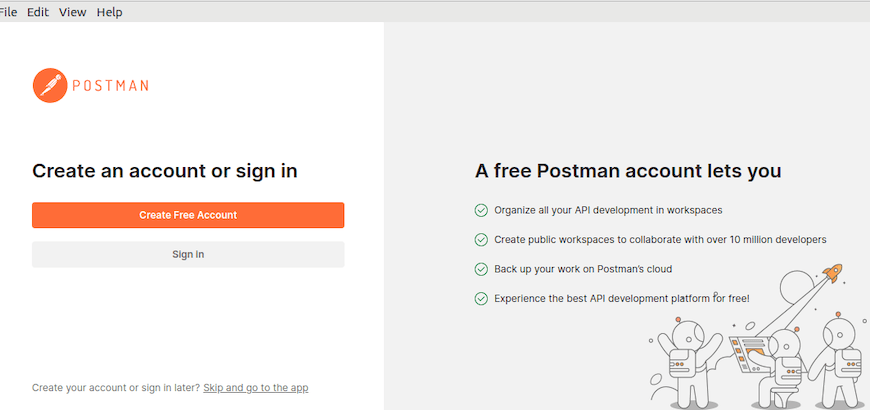
Snap automatically checks for updates to Postman and installs them in the background. This means that you don’t need to manually check for updates or update Postman yourself. If you want to manually update Postman, you can run the following command:
sudo snap refresh postman
Congratulations! You have successfully installed Postman. Thanks for using this tutorial for installing the Postman on your CentOS 8 system. For additional help or useful information, we recommend you check the official Postman website.