
In this tutorial, we will show you how to install RethinkDB on Ubuntu 22.04 LTS. For those of you who didn’t know, RethinkDB is a free and open-source database management system (DBMS) that is designed to be easy to use and scalable. It is based on a distributed architecture, which means that it can scale horizontally across multiple machines, making it well-suited for applications that require high performance and the ability to handle large amounts of data. RethinkDB has very minimal response times and updates. In addition, it has a beautiful and user-friendly web interface that allows you to manage databases over the web.
This article assumes you have at least basic knowledge of Linux, know how to use the shell, and most importantly, you host your site on your own VPS. The installation is quite simple and assumes you are running in the root account, if not you may need to add ‘sudo‘ to the commands to get root privileges. I will show you the step-by-step installation of the RethinkDB No-SQL database management system on Ubuntu 22.04 (Jammy Jellyfish). You can follow the same instructions for Ubuntu 22.04 and any other Debian-based distribution like Linux Mint, Elementary OS, Pop!_OS, and more as well.
Prerequisites
- A server running one of the following operating systems: Ubuntu 22.04, 20.04, and any other Debian-based distribution like Linux Mint.
- It’s recommended that you use a fresh OS install to prevent any potential issues.
- SSH access to the server (or just open Terminal if you’re on a desktop).
- A
non-root sudo useror access to theroot user. We recommend acting as anon-root sudo user, however, as you can harm your system if you’re not careful when acting as the root.
Install RethinkDB on Ubuntu 22.04 LTS Jammy Jellyfish
Step 1. First, make sure that all your system packages are up-to-date by running the following apt commands in the terminal.
sudo apt update
sudo apt upgrade
sudo apt install curl gpg gnupg2 software-properties-common apt-transport-https lsb-release ca-certificates
Step 2. Installing RethinkDB on Ubuntu 22.04.
By default, RethinkDB is not available on Ubuntu 22.04 base repository. Now run the following command below to add the RethinkDB repository to your list of repositories:
source /etc/lsb-release && echo "deb https://download.rethinkdb.com/repository/ubuntu-$DISTRIB_CODENAME $DISTRIB_CODENAME main" | sudo tee /etc/apt/sources.list.d/rethinkdb.list
Next, add the GPG keys using the following command:
wget -qO- https://download.rethinkdb.com/repository/raw/pubkey.gpg | sudo apt-key add -
After adding the repository and key, update the APT and run the following command to install RethinkDB on Ubuntu 22.04:
sudo apt update
sudo apt install rethinkdb
Once the installation, you can start the RethinkDB server using the following command:
sudo systemctl start rethinkdb
sudo systemctl enable rethinkdb
Step 3. Configure Firewall.
Now we set up an Uncomplicated Firewall (UFW) with RethinkDB to allow public access on default web ports 8080:
sudo ufw allow OpenSSH
sudo ufw allow 8080/tcp
sudo ufw enable
Step 4. Accessing RethinkDB Web Interface.
Once successfully installed, open your web browser and access the RethinkDB Web UI using the URL https://your-IP-address:8080. You will be redirected to the following page:
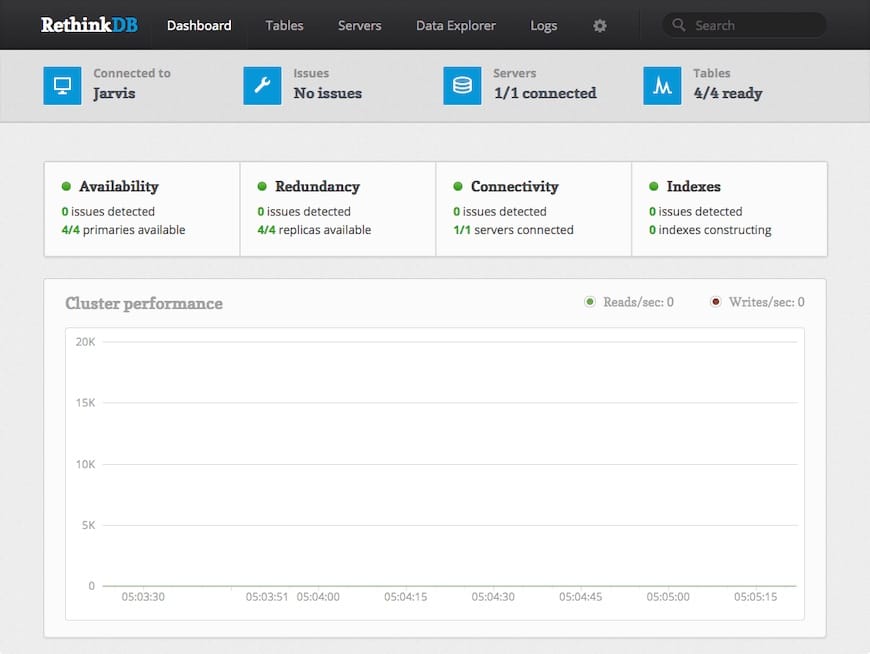
Congratulations! You have successfully installed RethinkDB. Thanks for using this tutorial for installing the RethinkDB open-source NoSQL database on Ubuntu 22.04 LTS Jammy Jellyfish system. For additional help or useful information, we recommend you check the official RethinkDB website.