
In this tutorial, we will show you how to install Deepin on Manjaro 21. For those of you who didn’t know, Deepin Desktop environments is a beautiful graphical user interface developed by Deepuin Linux developers. DDE comprises the Desktop Environment, Deepin Window Manager, Control Center, Launcher, and Dock. It is lightly configurable. A 64-bit installation of Manjaro running Deepin uses about 525MB of memory.
This article assumes you have at least basic knowledge of Linux, know how to use the shell, and most importantly, you host your site on your own VPS. The installation is quite simple and assumes you are running in the root account, if not you may need to add ‘sudo‘ to the commands to get root privileges. I will show you the step-by-step installation of the Deepin Desktop Environment on a Manjaro 21 (Ornara).
Prerequisites
- A server running one of the following operating systems: Manjaro 21.
- It’s recommended that you use a fresh OS install to prevent any potential issues.
- SSH access to the server (or just open Terminal if you’re on a desktop).
- A
non-root sudo useror access to theroot user. We recommend acting as anon-root sudo user, however, as you can harm your system if you’re not careful when acting as the root.
Install Deepin Desktop Environment on Manjaro 21 Ornara
Step 1. Before running the tutorial below, make sure that our system is up to date:
sudo pacman -Syu
Step 2. Installing Deepin on Manjaro 21.
Now run the following command below to install Deepin Desktop to your Manjaro system:
sudo pacman -S --noconfirm deepin
Once the Deepin desktop installation is completed, reboot your Manjaro Linux system:
reboot
Step 3. Launch Deepin Desktop on Manjaro Linux.
Now, on the Login screen click on the XP icon given at the right side bottom of the screen. Select Deepin and enter your password to log in to Manjaro.
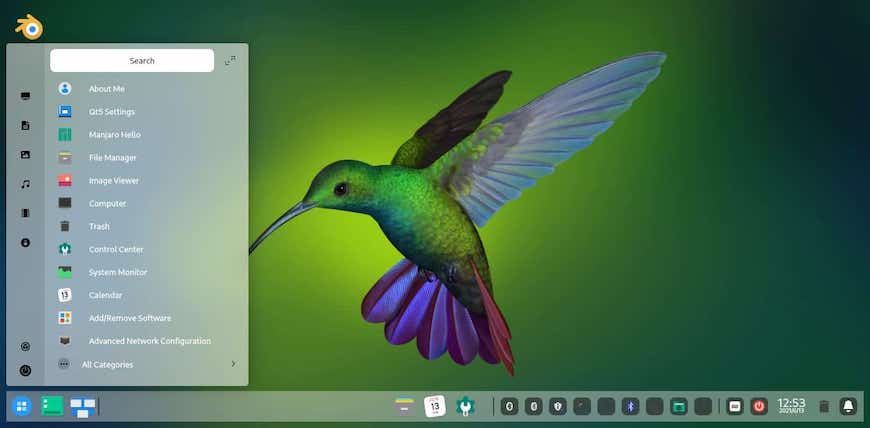
Congratulations! You have successfully installed Deepin. Thanks for using this tutorial for installing the latest version of the Deepin Desktop Environment on the Manjaro system. For additional help or useful information, we recommend you check the official Deepin website.