
In this tutorial, we will show you how to install Nginx Mainline Version on CentOS 7 server. For those of you who didn’t know, Nginx has two primary repositories or branches that folks can use to install or update Nginx packages. When you install Nginx from CentOS default repositories, you’re installing Nginx from the stable repository.
Every new feature is added to the mainline repository first and after it has been tested and proven to be stable, before the repository switches to be stable. If you’re not overly cautious and wish to install the latest and greatest Nginx packages and features, you may have to install Nginx from its Mainline repository.
This article assumes you have at least basic knowledge of Linux, know how to use the shell, and most importantly, you host your site on your own VPS. The installation is quite simple and assumes you are running in the root account, if not you may need to add ‘sudo‘ to the commands to get root privileges. I will show you the step-by-step install Nginx mainline version on CentOS 7 server.
Prerequisites
- A server running one of the following operating systems: CentOS 7.
- It’s recommended that you use a fresh OS install to prevent any potential issues.
- SSH access to the server (or just open Terminal if you’re on a desktop).
- A
non-root sudo useror access to theroot user. We recommend acting as anon-root sudo user, however, as you can harm your system if you’re not careful when acting as the root.
Install Nginx Mainline Version on CentOS 7
Step 1. First, let’s start by ensuring your system is up-to-date.
yum clean all
yum -y update
Step 2. Installing the Mainline version on CentOS 7.
First, create an Nginx repository file in CentOS:
nano /etc/yum.repos.d/nginx.repo
Add these lines into the file and save it:
[nginx.org]
name=nginx.org repo
baseurl=http://nginx.org/packages/centos/7/$basearch/
gpgcheck=1
enabled=1
Now update repositories and install Nginx:
yum update
yum install nginx -y
Check the Nginx version:
### nginx -v
nginx version: nginx/1.13.8
Start Nginx and add it to automatically start on your system start-up using:
systemctl restart nginx
systemctl enable nginx
You can verify that Nginx is really running by opening your favorite web browser and entering the URL http://your-server’s-address, if it is installed, then you will see this:
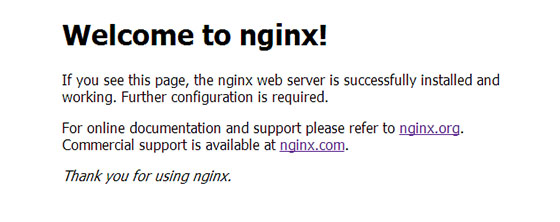
Congratulations! You have successfully installed Nginx on CentOS 7. Thanks for using this tutorial for installing Nginx mainline version web server on CentOS 7 systems. For additional help or useful information, we recommend you to check the official Nginx website.


